
Messages - SMS Messenger +
Dovi AICommunication
4.0290.00 Reviews
- Version
- 2.3.19
- Installs
- 100.00K
- Age Rating
- Everyone
Screenshots
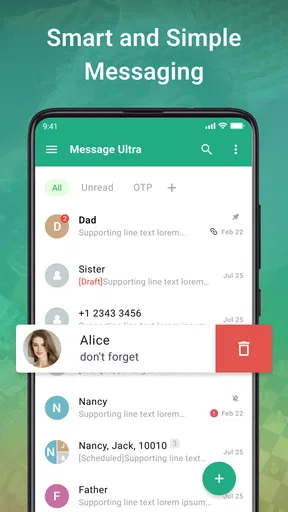
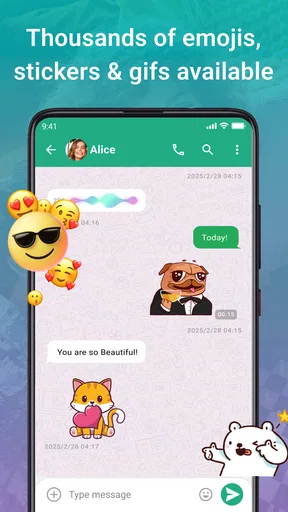
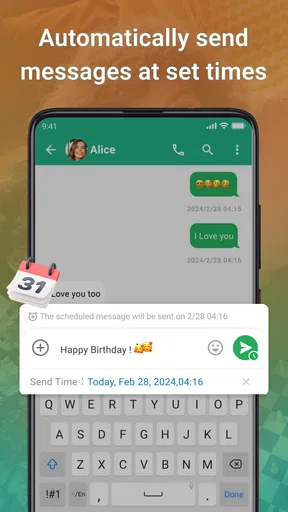
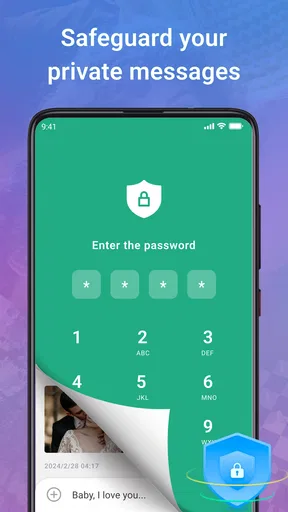
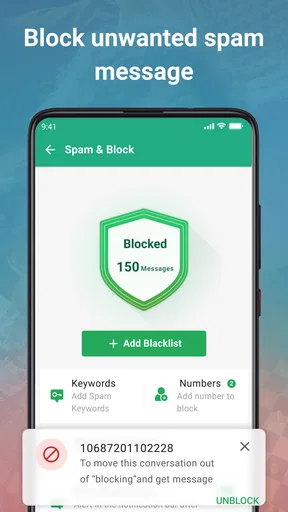
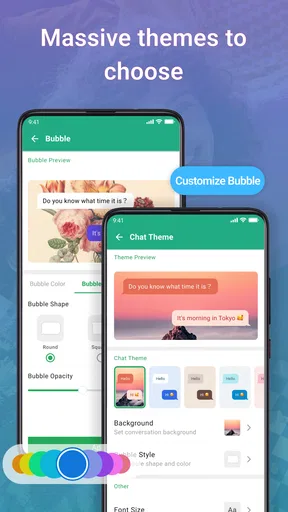
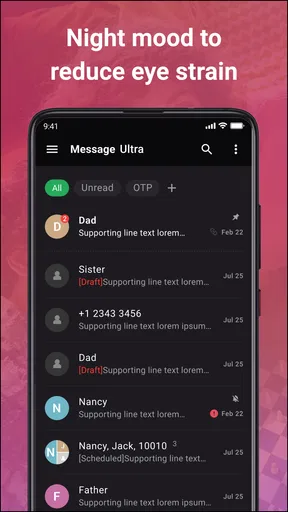
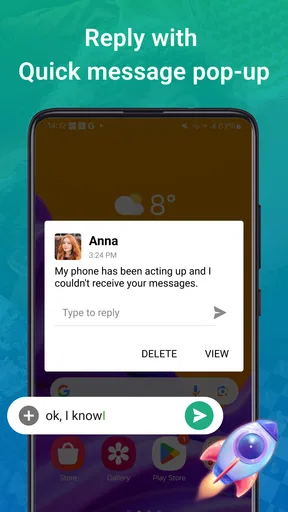
Our Review of Messages - SMS Messenger +
 Analysis by Appyee
Messaging apps are easy to judge when everything is working: open the conversation, write a reply, and move on. The more revealing test comes when I am moving between Wi-Fi and mobile data, standing in a place with a weak signal, or trying to send something quickly while doing three other things. That is where Messages - SMS Messenger +, developed by Dovi AI, starts to show its character. It is a communication app focused on messaging, with a clean promise of making everyday conversations feel simpler and more private.
I approached it as a practical replacement for the standard messaging experience rather than as a social network or an all-in-one chat platform. That distinction matters. If you want a large community, public channels, stickers, calls, or a constant stream of extras, this is not the kind of app I would choose first. If your priority is keeping ordinary conversations within a straightforward messaging environment, it is much easier to understand what this app is trying to do.
The app is free to install and is suitable for Everyone. It was released on February 20, 2025, and the current version is 2.3.19, so it is a relatively young option rather than a long-established classic. Dovi AI has positioned it in the Communication category, and its store summary emphasizes being smarter, simpler, reliable, and private. After using it with that promise in mind, I found the strongest part of the experience was its focus: it does not ask messaging to become something more complicated than messaging.
How Messages - SMS Messenger + handles real mobile situations
When I look at how Messages - SMS Messenger + fits into a real day, I focus on the whole path: what prompts me to open it, how I shape a message, and what I do if the conversation gets interrupted. That workflow matters more than a tidy screen because a useful messenger has to make the next step clear, especially when I am in a hurry.
Connectivity changes the feel of every conversation
The most important thing to understand is that a messaging app does not exist in isolation from the network around it. A conversation can feel instant at home and noticeably less predictable on a train, in a crowded building, or while switching between a familiar wireless network and mobile data. With Messages - SMS Messenger +, I paid more attention to that transition than I normally would because a simple interface makes delays easier to notice.
When the connection is stable, the app stays out of the way. That is a genuine strength. I can concentrate on the wording of a message instead of navigating through layers of account pages, feeds, or promotional panels. The experience feels closer to opening a tool than visiting a destination. For quick exchanges with family, delivery drivers, schools, or local services, that restraint is useful.
There is also a practical difference between being network-dependent and being network-aware. I would not treat any messaging application as magically immune to signal problems, and I would not assume that a message has reached its recipient simply because I tapped send. The right habit is to watch the conversation state after sending, especially when the signal is changing. If a message matters, I check that it has moved through the app’s normal sending process before putting the phone away.
This is one of the less glamorous but more valuable lessons from using it: a simple interface does not remove the need to verify delivery during poor connectivity. The app can make composing and reviewing a conversation feel less cluttered, but the network still determines how quickly communication moves between devices.
A realistic commute test
Imagine leaving home after sending a message to a colleague, then entering an underground station before the reply arrives. With a feature-heavy chat service, it can be difficult to tell whether the delay comes from the app, the network, or a background process. Here, the narrower purpose makes the question easier to answer: first check the connection, then check the message status, and only resend if the conversation clearly indicates that the first attempt did not go through.
That workflow sounds obvious, but it prevents a common annoyance: sending the same message twice because the screen did not update immediately. I found that the app works best when I treat it as a dependable front end for communication, not as proof that a message has arrived at the instant I press the button.
For people who regularly move through areas with inconsistent coverage, this is a meaningful consideration. Messages - SMS Messenger + can be convenient in those places, but it cannot turn a weak signal into a strong one. Its value is in keeping the messaging process understandable when conditions are ordinary, not in promising a special solution for every network failure.
Why the mobile context matters
On a phone, messaging is rarely a calm activity. I may be carrying groceries, walking between appointments, or replying with one hand while waiting for an elevator. A communication app earns its place by reducing decisions. Messages - SMS Messenger + is most appealing in those moments because it keeps attention on the conversation instead of surrounding it with unrelated functions.
I also like the idea of separating urgent communication from entertainment. Many popular messaging alternatives have grown into platforms with media, communities, shopping, channels, and algorithmic discovery. Those additions can be useful, but they also make it easier to lose track of a simple request. This app is better suited to someone who wants a focused messaging tool and does not need every conversation to become a multimedia event.
That focus has a trade-off. People who communicate mainly through rich group chats, voice calls, animated reactions, or shared media spaces may find the experience too limited compared with broader internet-based messengers. The usual alternatives often win when a conversation involves several kinds of content and participants. Messages - SMS Messenger + makes more sense when the message itself is the center of the interaction.
One useful routine is to keep messages short when connectivity is uncertain. I draft the essential information first, send it, and then add context only after I know the first part has moved normally. This is especially sensible for directions, appointment changes, or a quick “I am here” note. It reduces the chance that a long, complicated message becomes difficult to verify during a poor connection.
Handling interruptions without creating confusion
Phones interrupt constantly: calls arrive, another app takes focus, the screen locks, or the user moves into a dead zone. The best way to use this app in those situations is to build a small recovery habit rather than relying on memory. After returning to the conversation, I look at the latest message, confirm whether it appears as sent, and avoid immediately composing a replacement.
This matters most when a conversation is time-sensitive. A duplicate “Are you there?” can be harmless, but duplicate instructions, addresses, or payment details can create real confusion. The app’s straightforward purpose helps me perform that check quickly, but the responsibility still sits with the user.
I would also be careful when changing networks in the middle of a conversation. If a message is important, I wait a moment after moving from Wi-Fi to mobile data or back again, then revisit the thread. That small pause is more useful than repeatedly tapping the send control. It gives the app and the connection time to settle and keeps the conversation readable.
Failure and recovery are part of the review
No honest messaging review should discuss only successful sends. The frustrating moment is when a message appears to hesitate, the signal icon changes, or the recipient does not respond when expected. My approach with Messages - SMS Messenger + is deliberately conservative: I first inspect the conversation, then check the phone’s connection, and only afterward decide whether to retry.
If the message is urgent, I use a second communication route rather than assuming that repeated taps will solve the problem. That might mean a phone call or another established channel already used by the recipient. The app is not the right place to gamble on a critical message during a complete connectivity failure.
Recovery is also about preserving context. Before retrying, I read the last few lines of the conversation so that I do not send an outdated answer. This is a small but non-obvious advantage of a focused app: when the interface is not crowded with unrelated areas, it is easier to reconstruct what happened before the interruption.
For everyday messages, that is enough. For work teams, emergency coordination, or groups that need visible delivery confirmation and several fallback options, I would compare it carefully with a more established platform designed around those needs. A focused messenger can be pleasant, but focus should not be confused with redundancy.
Using it without wasting mobile data
Data-conscious use is less about obsessively watching every message and more about choosing the right workflow. Text-first communication is naturally easier to manage than conversations built around large media, but I still avoid sending unnecessary attachments when a short explanation will do. I also prefer to review a photo or file before sending it, because an accidental repeat can consume data and clutter the thread at the same time.
When I am on a limited mobile plan, I use the app for the part of a conversation that truly needs immediate attention. I send the key sentence, wait for a normal response state, and postpone nonessential additions until I have a more comfortable connection. This approach is especially useful while travelling, where network conditions and data costs can be less predictable.
The trade-off is clear: richer messaging alternatives may make it easier to share a wide range of media, while a focused text experience encourages discipline. Neither approach is automatically better. If your daily conversations depend on photos, video, voice notes, and large group exchanges, you should choose the platform that handles that pattern most naturally. If your phone is primarily a tool for concise personal communication, Messages - SMS Messenger + is easier to keep under control.
I would not install it expecting a complete solution for every kind of connectivity problem. Its role is narrower and more practical. It can give ordinary messaging a less distracting home, but it cannot replace a stable network, a backup contact method, or sensible habits around sensitive information. The word “private” in its positioning is appealing, yet I still avoid putting confidential details into any message unless the situation genuinely requires it.
Who will appreciate the focused design?
I think this app is a good fit for people who want communication to stay uncomplicated. That includes users who mainly exchange short personal messages, people who dislike social features inside their messaging tools, and anyone who wants to try a newer alternative without paying an upfront price. Its Everyone age rating also makes it approachable for a broad audience, although every household should still set its own rules for sharing personal information.
It may also suit someone who feels overwhelmed by the usual alternatives. Large chat platforms can be excellent, but their extra features sometimes make a simple conversation feel like work. Here, the narrower purpose is the selling point. I can open it with a clear reason and leave once that reason is handled.
I would skip it if my main requirement were a mature ecosystem for communities, business collaboration, international group calls, or media-heavy conversations. In those cases, a more specialized alternative may offer better tools and a larger network of contacts. An app’s simplicity becomes a limitation when the people you need to reach are already committed to another platform.
Cost, maturity, and what to expect
The app is free, which makes trying it low-risk, although it includes in-app purchases ranging from $4.99 to $14.99 per item. I would inspect any optional purchase screen carefully before confirming anything and decide whether the free experience already covers my needs. For a basic messaging tool, the important question is not simply whether extras exist, but whether I can use the core workflow comfortably without feeling pushed toward them.
Its current version, 2.3.19, suggests an actively evolving product, but it is still newer than many familiar communication apps. That can be positive: a newer app may feel less burdened by years of accumulated clutter. It can also mean that users who depend on a highly proven, deeply integrated messaging environment may prefer a longer-established choice.
The store shows a 4.0 average from around 1.8 thousand ratings, with around 290 written reviews and over 100 thousand installs. I read those figures as evidence of a real but still developing user base, not as a reason to assume universal satisfaction. The numbers make it worth trying, while the app’s relative youth is a reason to keep expectations practical.
My connectivity verdict
After looking at the app through the lens of changing networks, mobile interruptions, recovery, and data-conscious use, I see Messages - SMS Messenger + as a focused communication option rather than a universal replacement for every messenger. Its best quality is restraint. It gives ordinary messaging a clear place on the phone and avoids asking the user to manage a whole social ecosystem before sending a simple note.
My strongest recommendation is for someone who values a direct, uncluttered messaging routine and is comfortable checking message status when the connection is unreliable. I would install it for concise everyday conversations, especially when I want less distraction than a feature-heavy chat platform provides. I would not make it my only channel for urgent situations or choose it solely for media-rich group communication.
My final take: choose it for focused messaging, but judge it by your network habits and the kind of conversations you actually have. Dovi AI has made a clear, approachable app for people who want messages to remain messages. That simplicity is genuinely useful on a busy phone, provided you remember that no interface can remove the limits of connectivity. The app is free to start, accessible on Android 7.0 and later, and worth exploring if your ideal messenger is quiet, practical, and easy to return to when life interrupts.
Verdict
Strengths of Messages - SMS Messenger +
- Clean, familiar interface that makes texting easy to navigate.
- Supports multimedia messages, including photos and videos.
- Quick access to contacts and recent conversations.
- Useful notification controls for managing incoming texts.
- Works as a practical alternative to many default SMS apps.
Limitations of Messages - SMS Messenger +
- Some features may depend on your carrier or Android version.
- Advertising may appear in parts of the app.
- SMS and MMS charges can still apply through your mobile carrier.
- Advanced messaging features may not work with every contact.
- Privacy depends partly on your carrier’s SMS infrastructure.
Similar Picks in This Category
View All
Google Messages
Google LLC4.6

Gmail
Google LLC4.1

Google Meet
Google LLC4.4

Google Chrome
Google LLC4.1

WhatsApp Messenger
WhatsApp LLC4.6

Carrier Services
Google LLC4.2
Frequently Asked Questions
What is Messages - SMS Messenger +?
Messages - SMS Messenger + is a messaging application designed for sending and receiving traditional SMS and MMS messages from an Android device. After exploring its interface, the app feels focused on making everyday conversations easier to manage, with a familiar inbox layout, conversation threads, contact integration, and options for personalizing the messaging experience. It is primarily intended for carrier-based texting rather than internet-only chats.
Does Messages - SMS Messenger + require an internet connection?
For standard SMS messages, an internet connection is generally not required because texts are sent through your mobile carrier’s network. However, mobile service, an active SIM card, and an eligible texting plan may still be necessary. MMS messages, such as picture or group messages, can depend on mobile data or carrier configuration. Some additional app features may also require internet access, so availability can vary by device and provider.
Can I use Messages - SMS Messenger + as my default texting app?
On compatible Android phones, Messages - SMS Messenger + may be selected as the default SMS application. Doing so allows it to handle incoming and outgoing text messages directly and provides a single place to manage conversations. Before switching, check whether your current messaging app supports exporting or restoring messages, since changing default apps can affect notification behavior, message organization, and access to certain manufacturer-specific features.
Does Messages - SMS Messenger + support multimedia and group messages?
The app is intended to support common carrier messaging functions, including SMS and, where supported by the device and network, MMS messages containing photos, videos, or multiple recipients. The actual experience can depend on your carrier, APN settings, phone model, and the recipient’s network. If multimedia messages fail to send, checking mobile data and carrier settings is often more useful than reinstalling the app.
Is Messages - SMS Messenger + safe to download and use?
As with any messaging application, safety depends on downloading it from a trusted official store, reviewing its requested permissions, and keeping both the app and operating system updated. Because a messaging app may need access to SMS, contacts, notifications, and media files, users should examine why each permission is requested. Avoid unofficial APK sources, and review the developer’s privacy policy before handling sensitive conversations.
